
Everything Chrome forgets, you get back
Incognito is private by design, so Chrome refuses to remember anything. This extension restores the features you actually need, without ever sending your data anywhere.
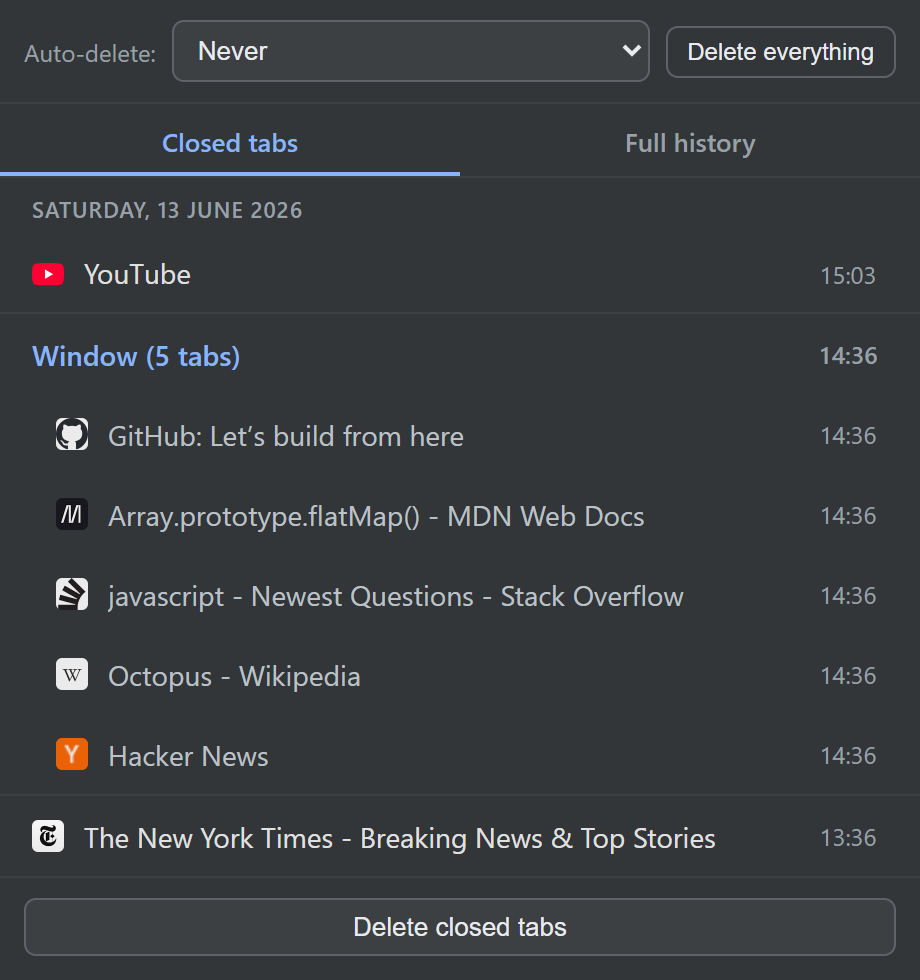
Reopen closed tabs and whole windows
Closed a tab by accident? Bring it back in one click from the popup. Closed an entire incognito window? Restore every tab at once, in its original order, or pick out just the one tab you need.
- One-click restore from the toolbar popup
- Reopen a single tab or an entire closed window
- Works with Alt+T and Ctrl+Shift+T from any incognito page
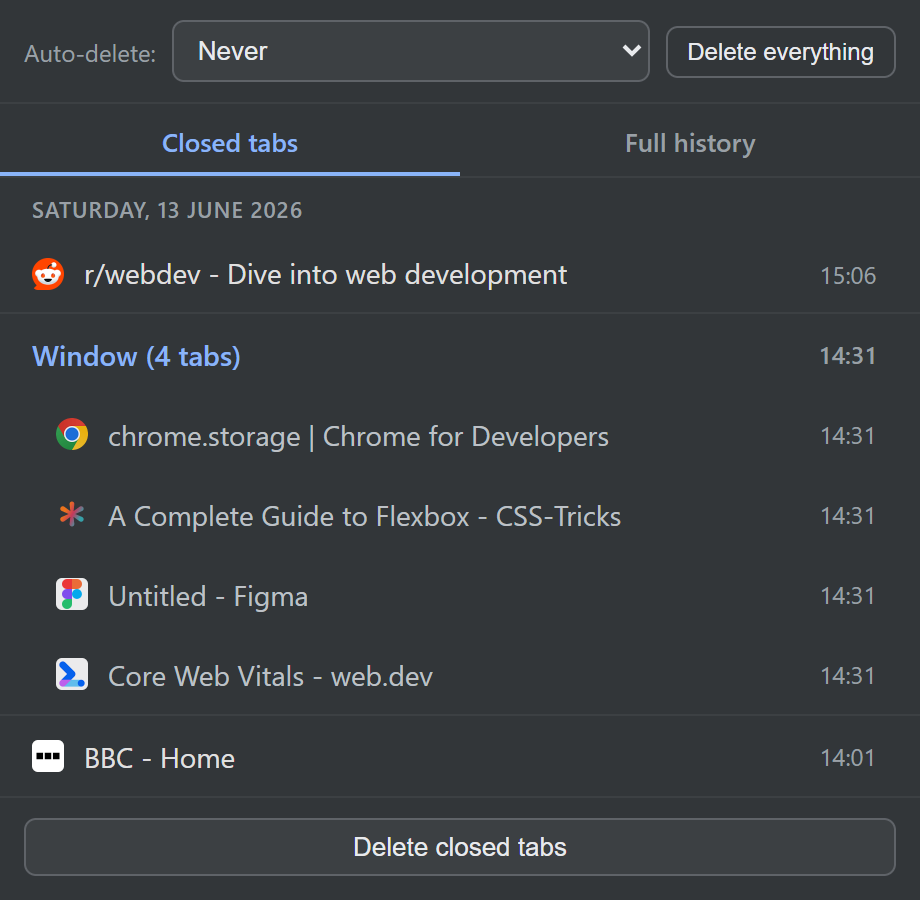
Lost a tab right now? See how to reopen a closed incognito tab →
Browse your full incognito history
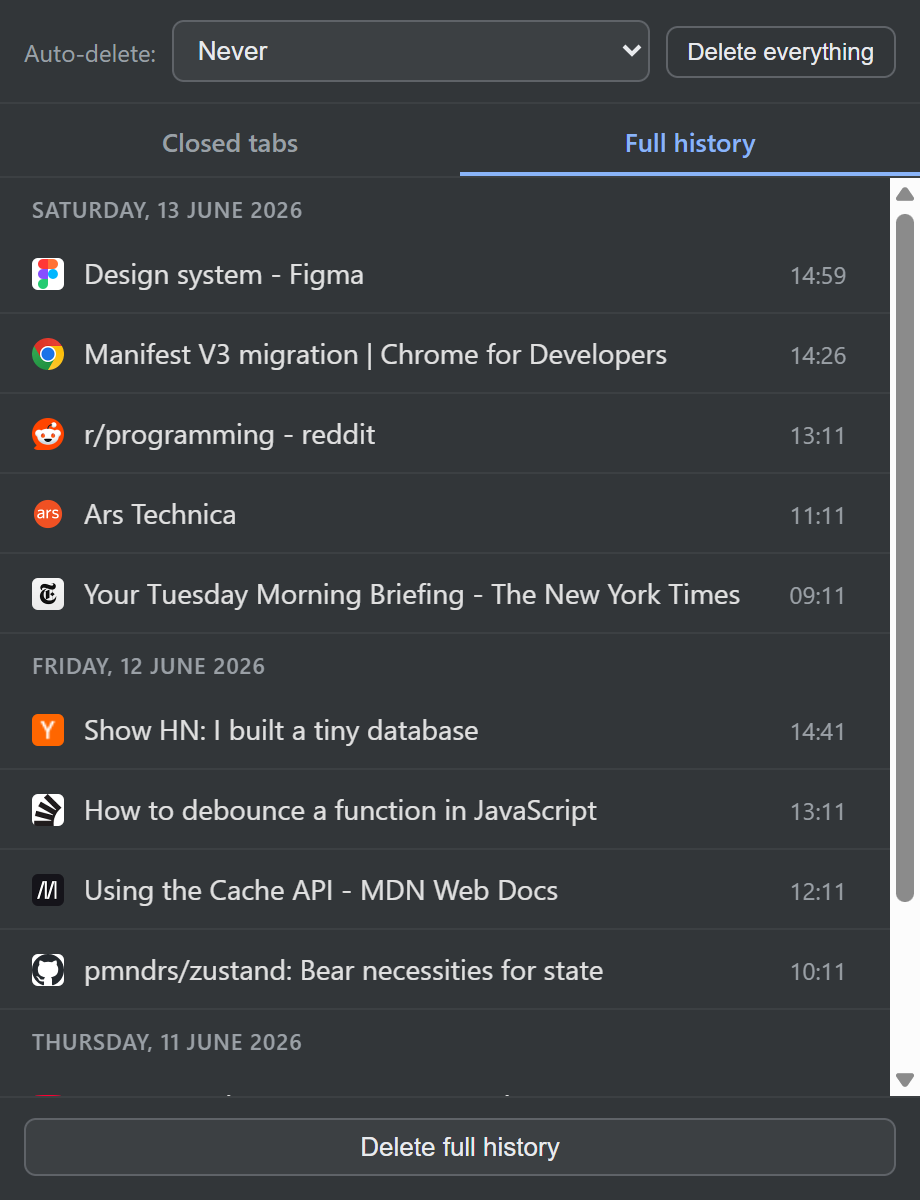
Every page you visited in incognito, kept in a private history only you can see: newest first, grouped by day, with favicons and page titles. Click any entry to reopen it in incognito.
- Complete navigation history, grouped by day
- Favicons and titles so you recognise pages at a glance
- Click to reopen, or middle-click to open in the background
Thought incognito history was impossible? Here's how to see it →
You decide how long it's kept
Privacy stays in your hands. Keep your history as long as you like, wipe it automatically the moment your last incognito window closes, or expire it after a set number of days. Clear everything instantly whenever you want.
- Auto-delete: never, when all incognito windows close, or older than 1–30 days
- Delete a single entry, one list, or everything at once
- Your choice is remembered and applied automatically
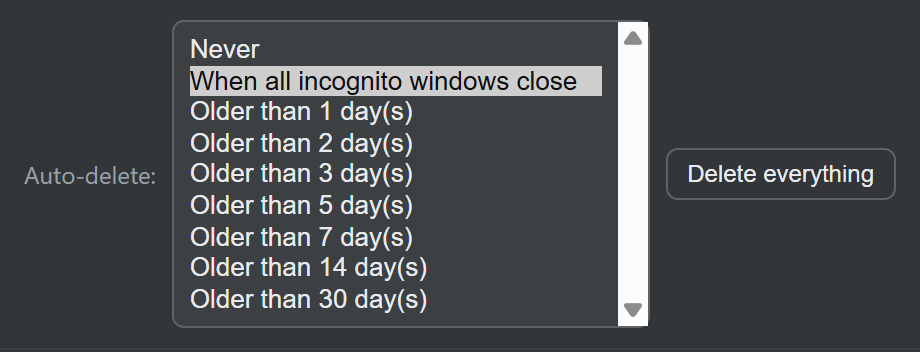
Want it gone on a schedule? Set up auto-delete →