
How to See Your Incognito Browsing History
Everyone says incognito history is impossible to see. That's true for Chrome by default, but here's how to keep and browse a private incognito history of your own.
June 11, 2026
Search for “how to see incognito history” and you’ll find the same answer everywhere: you can’t. Once you close an incognito window, Chrome erases every page you visited, and there’s no list to go back to.
That’s accurate enough for Chrome on its own. But it doesn’t have to be the end of the story. If you want a record of your incognito browsing, one that stays private and under your control, you can have one.
Why incognito history disappears
Incognito mode keeps your browsing out of Chrome’s normal history, cookies, and site data. When the last incognito window closes, all of that is discarded. There’s nothing to look back at because Chrome intentionally never wrote it down.
For a lot of situations that’s exactly what you want. But sometimes you close incognito and immediately think: what was that page I had open? By then it’s gone.
Keep a private incognito history you control
Incognito Reopen & History gives incognito the history Chrome refuses to. As you browse, it records the pages you visit in incognito and keeps that record on your device only, where nobody else can reach it.
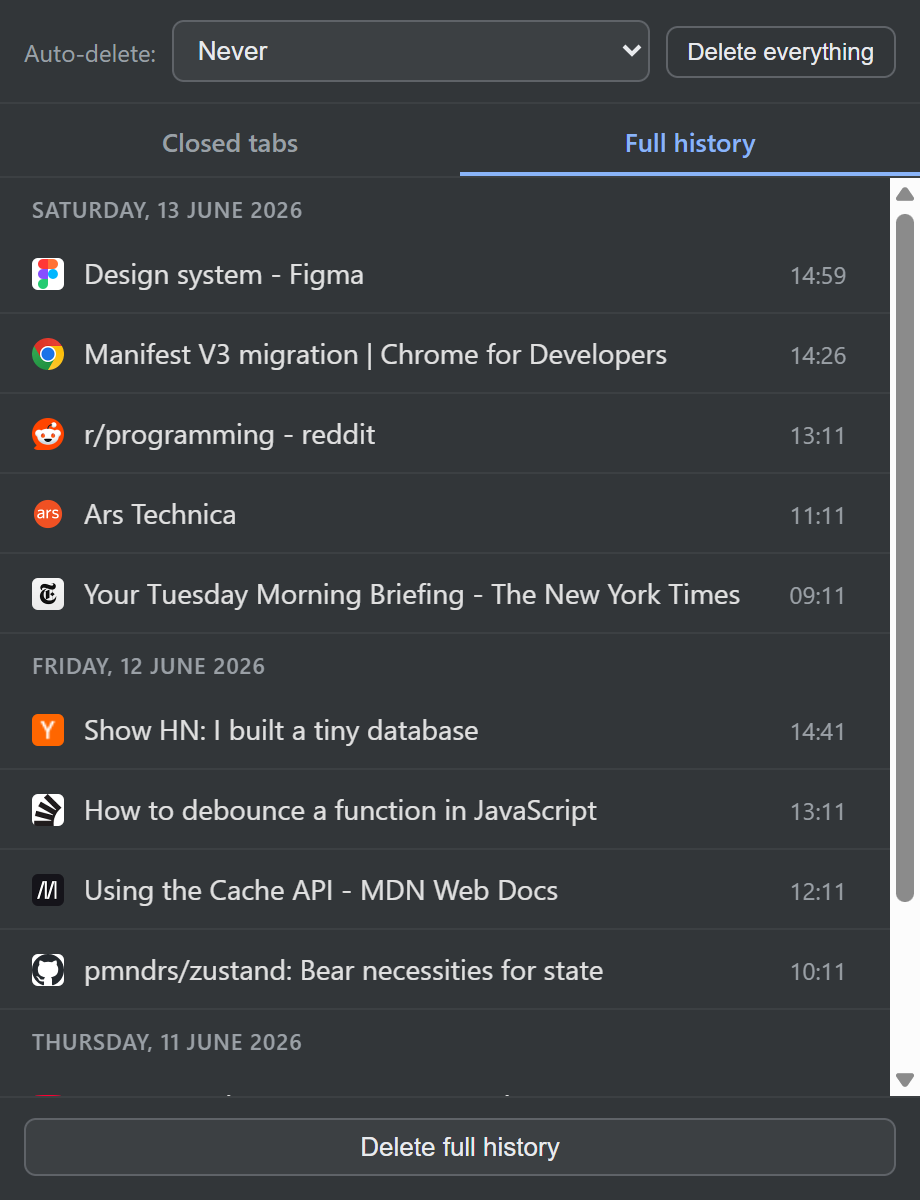
Open the extension and switch to the Full history view. You’ll see:
- Every page you visited in incognito, newest first.
- Entries grouped by day, so you can scan back through time.
- Favicons and page titles, so each entry is easy to recognise, not just a raw URL.
- The time of each visit at the edge of the row.
Click any entry to reopen it in incognito, or middle-click to open it in the background without interrupting what you’re doing.
It stays private
This is the important part: your incognito history never leaves your computer. It’s stored in your browser’s local storage, with no account, no server, and nothing uploaded. You’re keeping a record for yourself, not handing it to anyone.
And because privacy is the whole point, you decide how long it lasts. Keep it indefinitely, have it erase itself when your last incognito window closes, or expire after a set number of days.
Curious what incognito actually stores on its own? We break it down in does incognito mode save history?
Install Incognito Reopen & History. It’s free, and your history stays yours.